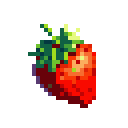
The Mathematics of Nostalgia: Why True "Grid Snapping" is the Secret to AI Pixel Art
If you have ever attempted to generate retro game assets using standard, consumer-grade generative AI, you have likely encountered the same frustrating result. You prompt for a "16-bit RPG character sprite," and the AI returns an image that looks like pixel art if you squint, but upon closer inspection, it is completely unusable.
The edges are blurry. There are thousands of microscopic color variations. It cannot be cleanly animated, and if you try to drop it into Unity or Godot, the sprite looks like a muddy, anti-aliased mess.
This happens because standard diffusion models do not understand the fundamental difference between continuous and discrete visual data. To generate true, production-ready assets, an AI pixel art maker must mathematically force the model into a state of quantization—a process we call Grid Snapping.
Here is a deep dive into the math behind the pixel art aesthetic, and why true grid snapping is the only way to make AI-generated pixel art viable for game development.
The Problem: Continuous Math in a Discrete Medium
To understand why AI struggles with pixel art, you have to understand how diffusion models "think." Models like Midjourney or standard Stable Diffusion operate in a continuous latent space. When generating an image, they calculate colors and shapes using floating-point math, outputting high-resolution images filled with smooth gradients and anti-aliasing.
Anti-aliasing is the enemy of pixel art. In digital rendering, anti-aliasing is a technique used to smooth out jagged lines by blending the colors of the line with the background. If you draw a black diagonal line on a white background, a continuous model will add grey pixels along the edge to make the line look smooth to the human eye.
Pixel art, however, is a discrete medium. It relies on strict, hard limits. A pixel is either black, or it is white. There is no sub-pixel blending.
When a standard AI attempts to generate pixel art, it creates "pixel-flavored" continuous art. It draws what looks like a blocky square, but it fills the edges of that square with dozens of semi-transparent, blended colors. When a game engine attempts to scale this sprite up by 400% using Nearest Neighbor filtering, those blended colors are magnified, resulting in a blurry, "dirty" sprite.
The Illusion of AI Downscaling
A common, flawed workaround for this is downscaling. Many tools take a high-resolution 1024x1024 AI generation and run it through an algorithmic downscaler (like Bilinear interpolation) to shrink it to 64x64, hoping it will look like pixel art.
This fails structurally.
When you algorithmically crush a continuous 1024x1024 image into a 64x64 grid, the math has to average out the pixels. This results in: 1. Orphaned Pixels ("Jaggies"): Random, single pixels that do not belong to any cohesive cluster, creating visual noise. 2. Loss of Structural Integrity: Important details like eyes, weapon hilts, or outlines are merged with the background and obliterated. 3. Banded Gradients: Smooth lighting gets crushed into ugly, horizontal bands of color.
You cannot achieve the pixel art aesthetic simply by reducing the resolution. The image must be natively generated with the grid in mind.
The Solution: Strict Grid Snapping and Quantization
To create a true pixel perfect AI generator, the engine must override the diffusion model's natural tendency to blend. At pixie.haus, we treat pixel art generation as a strict optimization problem, utilizing two interconnected mathematical constraints: Grid Snapping and Color Quantization.
1. Spatial Quantization (Grid Snapping)
Rather than letting the AI render freely and scaling it down later, our pipeline enforces a strict coordinate grid during the generation and processing phases.
If you select a 64x64 resolution, the system enforces a maximum of 4,096 distinct spatial blocks. The math is clamped. A data point cannot exist at coordinate [12.5, 40.2]; it must snap to an exact integer, either [12, 40] or [13, 40]. By clamping the geometry to a 1:1 pixel grid, we entirely eliminate sub-pixel rendering. The edges of a sword or the outline of a character are rendered sharply, with zero algorithmic blurring.
2. Color Space Quantization (The Palette Lock)
Grid snapping solves the spatial geometry, but we must also solve the color geometry. A continuous AI model might use 16 million colors to render a sprite. A Super Nintendo used 256.
To achieve chemical cohesion in the art, our pipeline aggressively quantizes the color space. We clamp the output to strict Lospec-compatible color palettes. If you set the generator to an 8-color limit, the system analyzes the AI's continuous color output and mathematically forces every single pixel to snap to the nearest hex code in that 8-color palette.
This does something remarkable to the AI's logic: it forces abstraction.
Because the AI is no longer allowed to use a gradient of 50 different greys to shade a piece of armor, it is forced to rely on bold, high-contrast silhouettes to convey depth. This mimics the exact cognitive process of a human pixel artist, resulting in sprites that look authentically hand-drawn rather than machine-generated.
Why This Matters for Game Engines
If you are just posting pictures on social media, the math doesn't matter. But if you are a game developer, the math is everything.
Game engines like Unity, Godot, and GameMaker process 2D pixel art differently than standard textures. To maintain the crisp, retro look on modern 4K monitors, engines use Point (No Filter) or Nearest Neighbor scaling.
Nearest Neighbor scaling takes a single pixel and multiplies it exactly (1 pixel becomes a 4x4 square of pixels). If your sprite contains continuous AI gradients, anti-aliasing, or un-snapped sub-pixels, Nearest Neighbor scaling will magnify every single mathematical error, making your game look cheap and unpolished.
Because pixie.haus enforces strict Grid Snapping and Color Quantization, the PNGs you download from your library are mathematically pure. Their alpha channels are perfectly stark. Their color counts are absolute. When you drop a pixie.haus sprite into Godot and scale it up 500%, every pixel remains razor-sharp.
Generative AI is a boundless ocean of data. But pixel art requires a glass. By applying strict mathematical constraints to the diffusion process, we stop generating images, and start engineering game assets.